The key stays.
The signature goes.
Nussio Wallet holds your Antelope accounts in the browser and signs for them without letting a private key reach the page asking — or keeps the key on a Ledger and signs there. It speaks the same signing request and session protocol as Anchor, so apps built for Anchor connect unchanged.
- EOS
- WAX
- Telos
- Proton
- Libre
- FIO
- UX Network
- Jungle 4 and every testnet
- Any chain you add by hand
A whole wallet, not a signing popup
Everything the Anchor desktop workflow covers, rebuilt for Manifest V3 and a 360 px popup. The screens you only miss once they are gone are here too.
Keys you hold
Generate or import into an encrypted keyring on this machine, or watch any account read-only with no key at all.
Ledger hardware wallet
Plug in a Ledger running the Antelope app, pick the accounts it holds, and every transaction — your own or one an app sends — is reviewed and signed on the device. The key never enters the browser. Chrome, Edge and Brave.
Signing requests
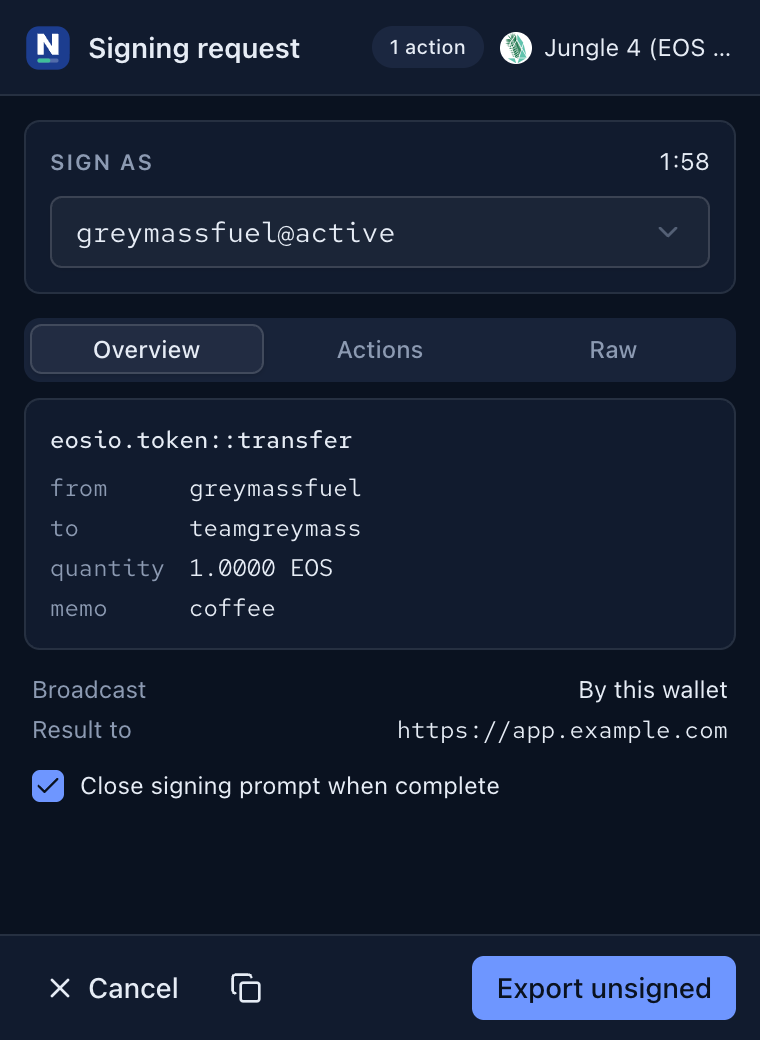
esr: links, in-page requests and sealed session messages queue up in
one place. Apps written for Anchor need no changes.
Resources
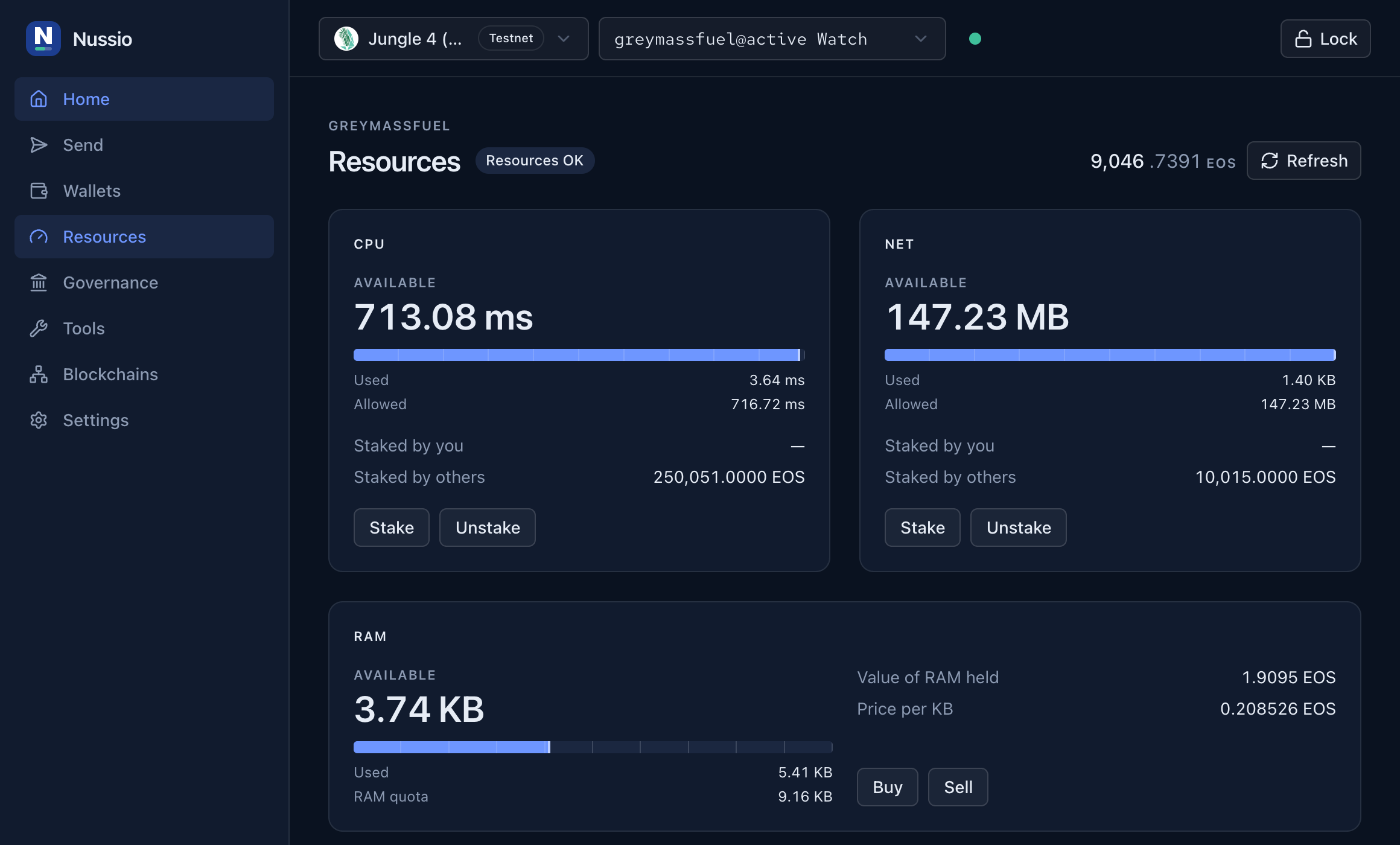
CPU, NET and RAM on one meter everywhere, with staking, renting and a warning before a transaction runs out of room.
Governance
Vote for block producers directly, or hand your vote to a proxy.
History
Read recent actions for the selected account from the chain's Hyperion index.
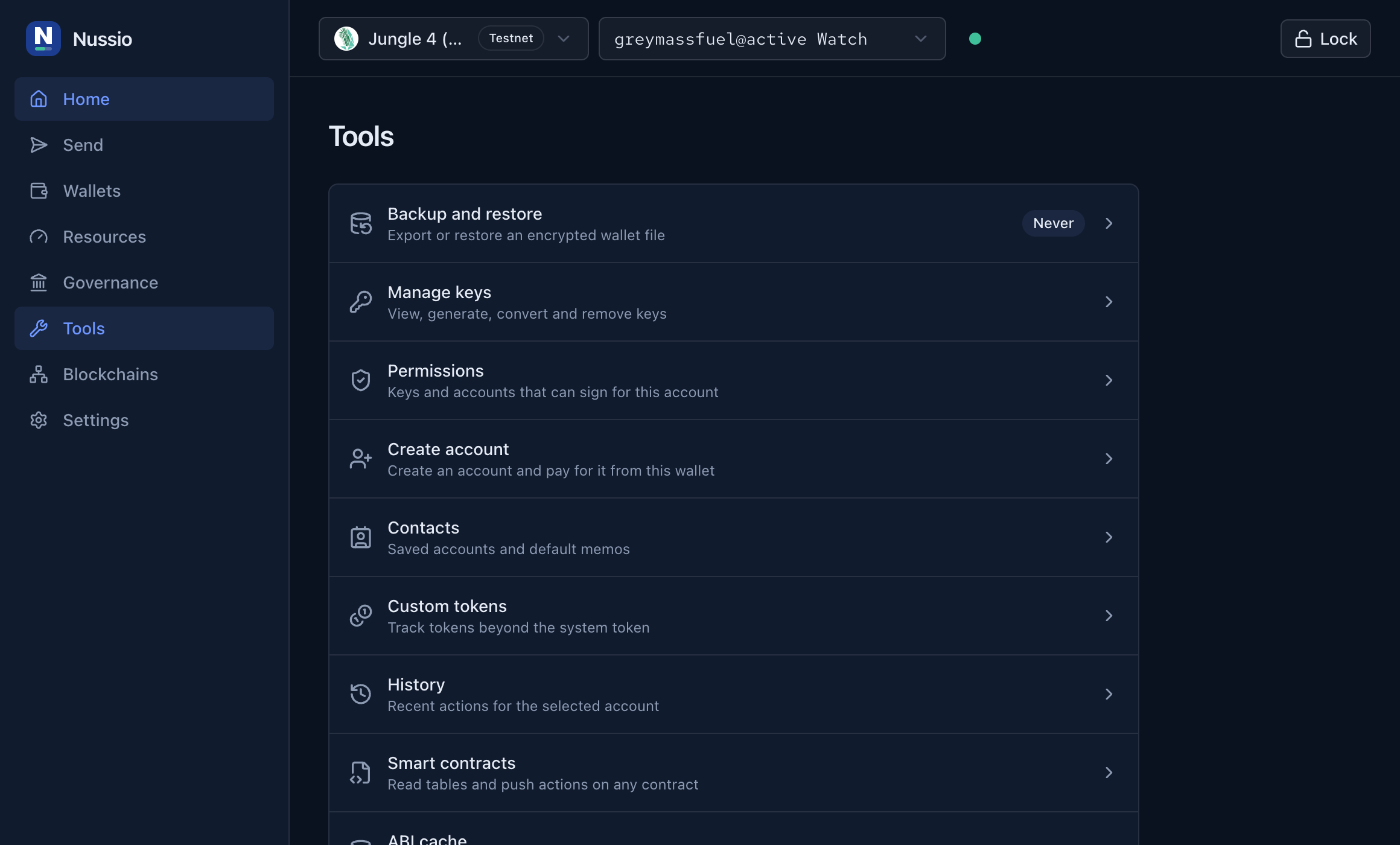
Backup and restore
Encrypted export in the Nussio format or one Anchor Desktop can read, and restore of either, including Anchor's older per-wallet keyring.
Key tools
Every stored key with the wallets using it, a password-gated reveal with QR, a K1 generator, and a converter between WIF, PVT and both public key formats.
Contacts and tokens
Saved accounts that fill the send form with a default memo, and tokens tracked by contract or scanned from a Hyperion token index.
New accounts
Two keypairs, a mandatory owner-key export, and a shareable request for whoever pays for the account. Premium names can be bid on from the same screen.
Contract and node tools
Push any contract action, read its tables, ping endpoints for latency and head block, and clear the ABI cache when a contract changes.
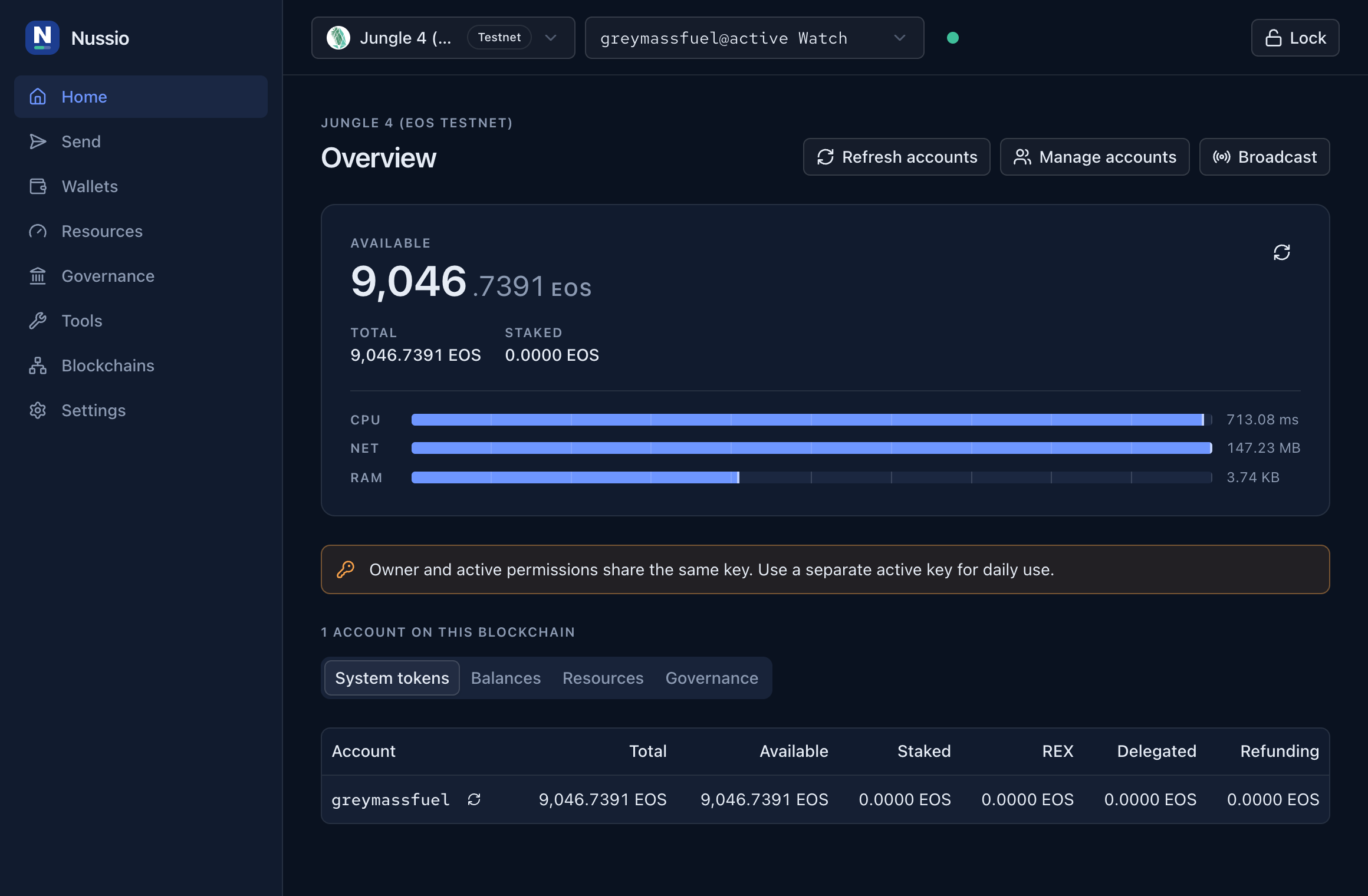
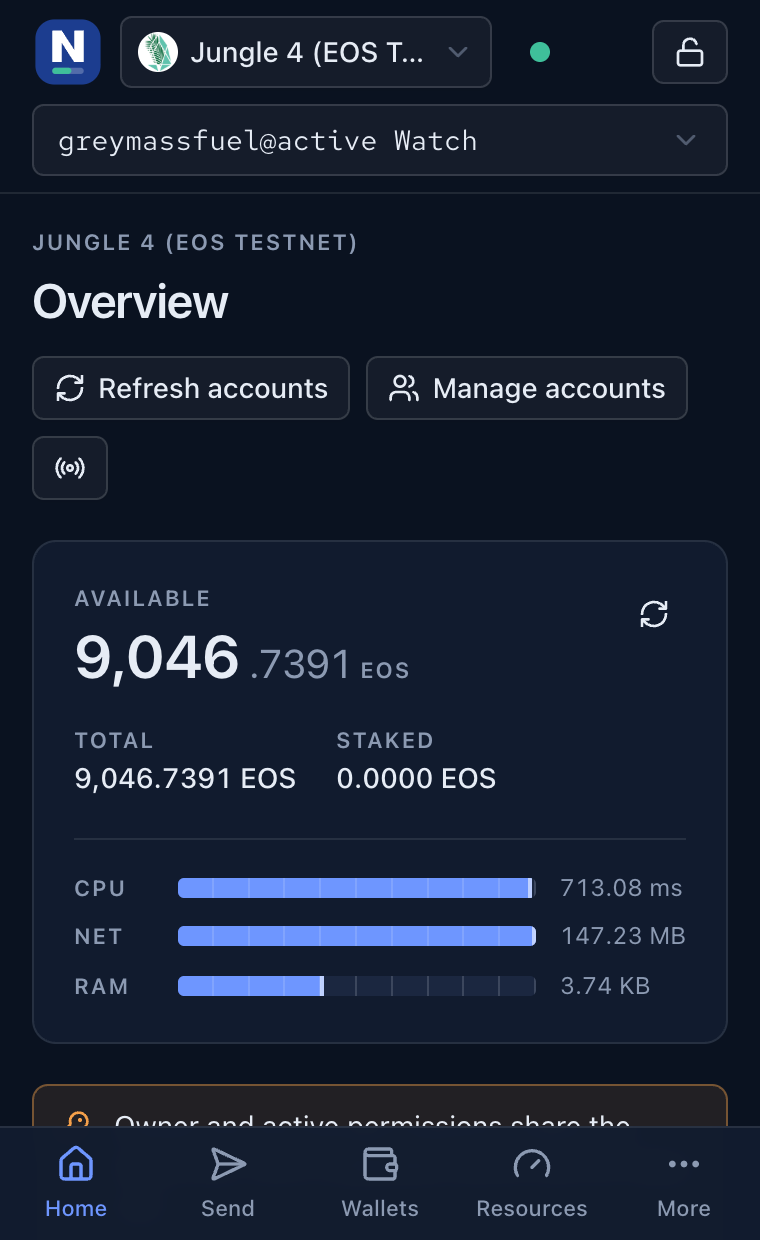
Captured from the running extension
Live against Jungle 4, the EOS testnet, watching a real account. No renders, no mockups.
Two sides of one boundary
Signing happens inside the service worker. A page asks for a signature and receives one. The key it was made with never makes the trip.
Never leaves this machine
- Private keys, sealed with AES-256-GCM under a key derived from your password by PBKDF2-SHA256 over 600,000 rounds.
- Unlocked keys, held in session storage and dropped on lock, on the idle timeout and every time the browser closes.
- Wallets, contacts, tracked tokens and settings, in extension storage.
- Ledger keys, which never enter the browser at all: the device shows the transaction and returns only a signature.
Leaves only when you approve
- A signed transaction, once you have read the actions and accepted them.
- Chain reads, sent to the API nodes you configured and can change.
- Sealed session replies, for apps you have logged into with a signing request.
Guarded message channel
Every proxied service call is checked for sender id, extension origin, service key and call path before it runs, which closes the extension RPC hole behind CVE-2023-40580.
Bounded request parsing
Signing requests above 16 KB are refused, and a compressed payload that inflates past 500 KB is dropped, so no zip bomb reaches the worker.
Permission changes blocked
updateauth, linkauth and deleteauth against
owner or active are rejected unless you turn them on yourself.
Checked on every change
Each message and stored item carries a zod schema, CI runs typecheck, lint, unit and end-to-end tests on every pull request, and the threat model is written down rather than implied.
You are the only custodian of these keys. Export a backup before you rely on the wallet, and keep the owner key somewhere offline.
One click, or one zip
Chrome, Edge and Brave install from the Chrome Web Store and update on their own. Firefox and the unpacked builds come as zips, packaged by GitHub Actions after the same typecheck, lint, unit and end-to-end run the repository uses.
- Add to Chrome on the store page. The store handles the install and every update after it.
- Open the wallet from the toolbar icon, set a password, enable a chain, then import or watch an account.
Or load the zip unpacked
- Unzip it somewhere you can keep. Chrome loads it from that folder every time.
- Open chrome://extensions, turn on Developer mode, then Load unpacked and pick the folder.
- Unzip it.
- Open about:debugging#/runtime/this-firefox, choose Load Temporary Add-on and pick manifest.json in the folder.
- Open the wallet from the toolbar icon, set a password, enable a chain, then import or watch an account.
Mozilla has not signed this build, so Firefox treats it as temporary and forgets it on restart. To keep it, use Developer Edition or Nightly with xpinstall.signatures.required set to false, or sign a build yourself.
# or build it yourself
git clone https://github.com/lshaf/nussio-wallet.git
cd nussio-wallet
pnpm install
pnpm build          # dist/chrome-mv3
pnpm build:firefox  # dist/firefox-mv2
Older tagged builds stay on the releases page.